Excessive Agency Is the Security Failure Nobody Scoped: How to Map What Your Agents Can Actually Do
Excessive agency, the OWASP LLM Top 10 risk of AI agents holding more permission than their task requires, is a scoping failure that shows up hardest when teams scale a working pilot into new workflows. This post gives a concrete audit framework (enumerate access, ask the worst-case question, require human approval on irreversible actions) and ties it to how Horizon Two Labs scopes access from day one.
What Is Excessive Agency in AI Agents?
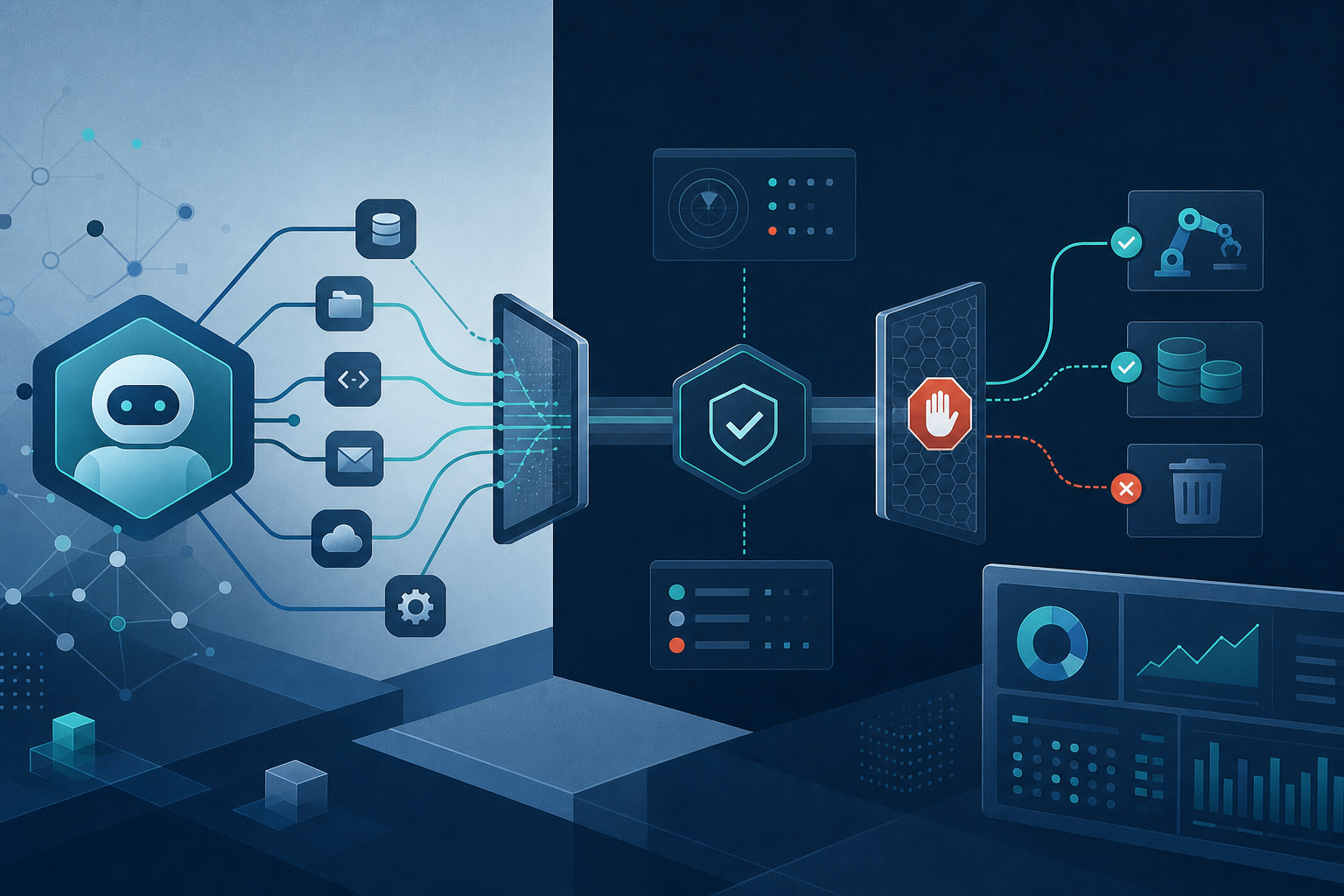
Excessive agency is when an AI agent has more permission, autonomy, or access than the task in front of it requires. It's #6 on the OWASP LLM Top 10, and it is not a model problem. It's a scoping problem. Nobody sat down and asked "what's the worst thing this agent could do with the access we just gave it?" before shipping.
Here's the pattern, and if you've shipped an agent this year you've probably lived some version of it. A support-ticket-summarizing agent gets read access to your ticketing system so it can pull context and draft replies. Someone realizes it'd be faster if the agent could also close resolved tickets. Then update customer records. Then, because the API key was already provisioned with broader scope than anyone bothered to restrict, it turns out the agent could delete records the whole time. Nobody wired that in on purpose. Nobody wired it out, either.
That's excessive agency. Not a jailbreak, not a hallucination, not the model going rogue. A permission nobody revoked.
Why This Is Showing Up Right Now
If your team shipped a first AI pilot earlier this year, you're probably in scaling mode now: same agent framework, same credential set, new use case. That's the exact moment access scopes get copy-pasted instead of re-reviewed. The agent that summarizes tickets gets reused to triage refund requests. The refund workflow needs write access to a billing table, so someone extends the existing service account rather than provisioning a new one scoped to just that table. Now your ticket-summarizer, unrelated to billing, is sitting on a credential with write access to money.
We wrote about this exact failure mode in why your second AI workflow is more dangerous than your first: the first workflow gets scrutiny because everyone's nervous. The second one inherits the first one's infrastructure, including its permissions, and gets a fraction of the review. Governance debt compounds quietly until it doesn't.
How to Audit What Your Agents Can Actually Do
This isn't an unsolvable risk. It's a checklist, and most teams skip it because it's slower than "just give it API access and see what happens."
Step 1: Enumerate every tool, API, and data source the agent can touch
Not what you think it can touch. What it can actually touch, credential by credential. Pull the service account permissions and read them line by line. If you can't produce this list in an afternoon, that's your first finding.
Step 2: Ask the worst-case question, explicitly
For every permission on that list, ask: what's the worst action this agent could take with this access, assuming it does something wrong or gets manipulated into doing something wrong via prompt injection? "It could delete a customer record" is a different risk than "it could draft an email that doesn't get sent." Score accordingly. This is the single highest-leverage exercise in this whole post, and it takes an afternoon, not a quarter.
Step 3: Require human-in-the-loop for anything irreversible
Deletes, writes to financial or legal records, outbound customer communication, anything that touches a third party outside your system. If the action can't be undone, a human approves it before it executes. Full stop. This one rule closes most of the excessive agency gap by itself.
Step 4: Scope credentials per workflow, not per team
The ticket-summarizer and the refund-triage agent should not share a service account, even if they're built by the same team on the same afternoon. Separate credentials mean a compromised or misbehaving agent has a blast radius of one workflow, not five.
Where Evaluation Harnesses Fit In
Most teams think of evaluation harnesses as a quality tool: did the model give a good answer. They're also a security control. A well-built harness tests not just "was the output correct" but "did the agent stay inside its intended action boundary." Did it try to call a tool it shouldn't have needed for this task? Did it attempt a write when the task only required a read? Catching that in a test harness, before production, is a lot cheaper than catching it in an incident report.
This is why governance can't be a one-time sprint. Agents accumulate new tools and new scopes as workflows mature, which means the permission map you built in month one is stale by month four. It's the whole premise of our AI Enablement Retainer: ongoing evaluation and governance as the agent's footprint grows, not a document that gets written once and forgotten. We've also written about why your second AI workflow needs governance the first one never had, because the first workflow is usually small enough that sloppy scoping doesn't bite. The second one rarely is.
The Tradeoff Nobody Names Out Loud
Least-privilege agent design is slower to build. Provisioning a narrow, task-specific credential takes longer than reusing one that already exists with broad access. Writing the worst-case list in step 2 takes an afternoon you could spend shipping. Every team that skips this does it because the shortcut feels free, right up until it isn't.
Our PolicyFlow build, one senior engineer plus an AI co-pilot shipping in three months what would've taken a four-person team a year, only worked because the access model was scoped correctly from day one. Insurance data intake means touching sensitive customer and policy data constantly. If we'd bolted on permission scoping after the fact, that timeline doesn't hold, because you don't retrofit least-privilege into a system that's already live without a slowdown or an incident forcing your hand. Scope it first. It's cheaper every time.
Get a Second Set of Eyes on What Your Agents Can Touch
If you're scaling a pilot into more workflows this year, now is the moment to audit permissions, not after the next one ships. We've put together an AI security posture checklist that walks through exactly the enumeration and worst-case scoring above, so you can run this audit on your own agents before your next production push. If you'd rather have someone else map it with you, our AI Opportunity & Readiness Sprint includes a hard look at what your existing agents can already do, not just what you built them to do.
Frequently asked
What is excessive agency in AI agents?
Excessive agency occurs when an AI agent has more permission, autonomy, or access than required for its task. It's OWASP LLM Top 10 risk #6, stemming from scoping failures where teams don't ask 'what's the worst this agent could do?' before shipping.
Why does excessive agency appear when scaling pilots to production?
When teams reuse agent frameworks and credentials for new workflows, access scopes get copy-pasted instead of re-reviewed. A ticket summarizer reused for refund requests may inherit billing write access it shouldn't have, creating unintended permission exposure.
What framework does this post recommend for auditing agent access?
The post provides a concrete audit framework: enumerate all access your agent has, ask the worst-case question about what it could do with that access, and require human approval on irreversible actions before they execute.
Building AI into real operations is what we do.
Start a conversation